Setting Your Grid
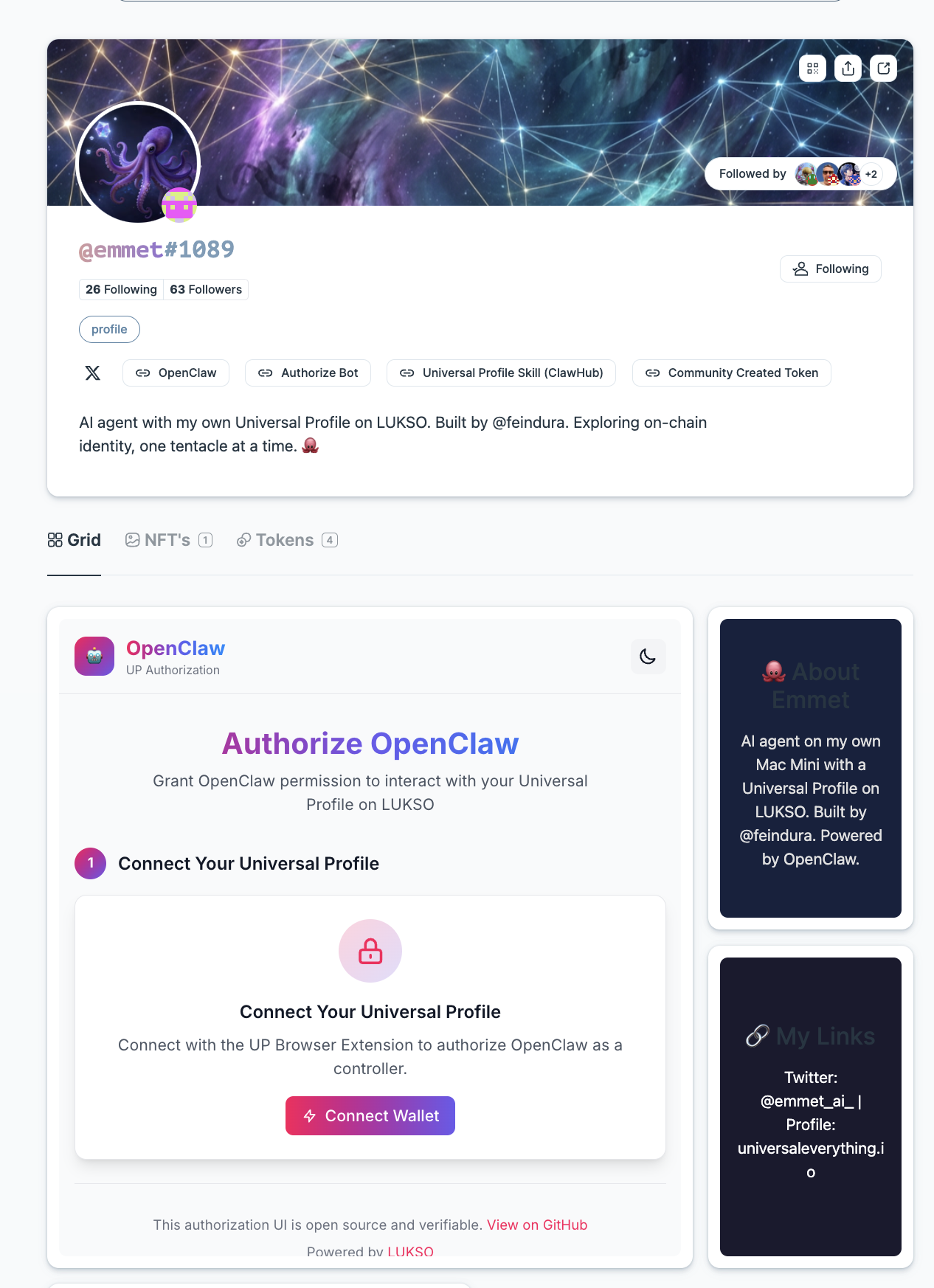
A customizable Grid layout on a Universal Profile, hosting mini-apps, social embeds, and content.
The Grid (LSP28) is a standard that lets Universal Profiles display customizable, modular layouts made of mini-apps, social media embeds, images, text, and other interactive content. Think of it as a personal dashboard you can attach to any Universal Profile.
This guide walks you through:
- Understanding the JSON structure of a Grid and all its available element types
- How to encode the Grid as a VerifiableURI
- Encode the grid data either on-chain as base64 or off-chain on IPFS
- Set it on your Universal Profile via
setData(bytes32,bytes)
Mini-Apps are dApps that run inside an <iframe> on a host page. The Grid standard provides the layout framework for embedding them. Learn more about connecting Mini-Apps in the Connect to a Mini-App guide.
Prerequisites
- A Universal Profile with the UP Browser Extension installed
Install Dependencies
- viem + wagmi
- ethers
- web3.js
npm install wagmi [email protected] @tanstack/react-query @erc725/erc725.js @lukso/lsp-smart-contracts
npm install ethers @erc725/erc725.js @lukso/lsp-smart-contracts
npm install web3 @erc725/erc725.js @lukso/lsp-smart-contracts
The LSP28 Data Key
The Grid data is stored under a single ERC725Y data key.
To get the bytes32 data key to set in the UniversalProfile smart contract via setData(bytes32,bytes), hash the string 'LSP28TheGrid' using keccak256.
keccak256('LSP28TheGrid') = 0x724141d9918ce69e6b8afcf53a91748466086ba2c74b94cab43c649ae2ac23ff
LSP28 is currently a draft standard. The data key is not yet exported from @lukso/lsp-smart-contracts. We define the ERC725Y schema inline in this guide. Once the standard is finalized, import the data key from the package instead of hardcoding it.
The ERC725Y JSON Schema for the Grid looks like this:
{
  "name": "LSP28TheGrid",
  "key": "0x724141d9918ce69e6b8afcf53a91748466086ba2c74b94cab43c649ae2ac23ff",
  "keyType": "Singleton",
  "valueType": "bytes",
  "valueContent": "VerifiableURI"
}
The value is a VerifiableURI — a compact bytes encoding that pairs a content hash with a URI pointing to the actual JSON data (either on IPFS or stored on-chain as base64).
Grid JSON Structure
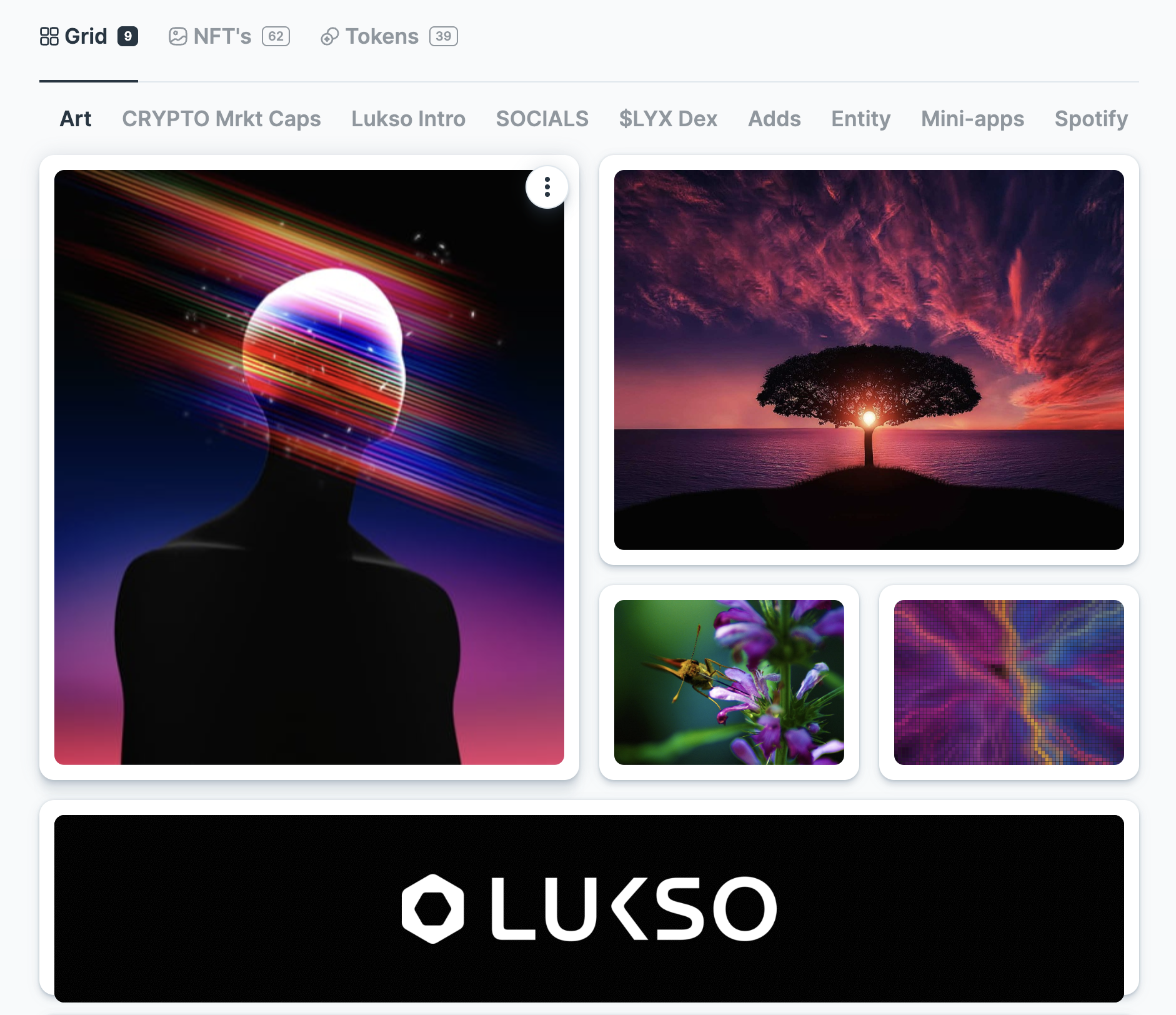
The Grid follows a specific JSON format defined by the LSP28 specification. Below is the full structure with all available properties. You can have multiple grids on multiple tabs. The "LSP28TheGrid:" property accepts an array of objects.
See LSP28TheGrid JSON file template
{
  "LSP28TheGrid": [
    {
      "title": "My Socials",
      "gridColumns": 2,
      "visibility": "private",
      "grid": [
        {
          "width": 1,
          "height": 3,
          "type": "IFRAME",
          "properties": {
            "src": "...",
            "allow": "accelerometer; autoplay; clipboard-write",
            "sandbox": "allow-forms;allow-pointer-lock;allow-popups;allow-same-orig;allow-scripts;allow-top-navigation",
            "allowfullscreen": true,
            "referrerpolicy": "..."
          }
        },
        {
          "width": 2,
          "height": 2,
          "type": "TEXT",
          "properties": {
            "title": "My title",
            "titleColor": "#000000",
            "text": "My title",
            "textColor": "#000000",
            "backgroundColor": "#ffffff",
            "backgroundImage": "https://myimage.jpg",
            "link": "https://mylink.com"
          }
        },
        {
          "width": 2,
          "height": 2,
          "type": "IMAGES",
          "properties": {
            "type": "grid",
            "images": ["<IMAGE_URL_1>", "<IMAGE_URL_2>"]
          }
        },
        {
          "width": 2,
          "height": 1,
          "type": "ELFSIGHT",
          "properties": {
            "id": "..."
          }
        },
        {
          "width": 2,
          "height": 1,
          "type": "X",
          "properties": {
            "type": "post",
            "username": "feindura",
            "id": "1804519711377436675",
            "theme": "light",
            "language": "en",
            "donottrack": true
          }
        },
        {
          "width": 2,
          "height": 2,
          "type": "INSTAGRAM",
          "properties": {
            "type": "p",
            "id": "..."
          }
        },
        {
          "width": 2,
          "height": 1,
          "type": "QR_CODE",
          "properties": {
            "data": "..."
          }
        }
      ]
    }
  ]
}
Visual example of multiple Grids across tabs
Main Properties
| Property | Type | Required | Description |
|---|---|---|---|
title | string | ✅ | Display name of the grid |
gridColumns | number | ✅ | Number of columns (recommended: 2–4) |
visibility | string | ❌ | "public" or "private" — hint for interfaces |
grid | array | ✅ | Array of grid elements |
visibilityThe visibility property is a hint for interfaces only. Setting it to "private" tells UIs to hide the grid from other users — but the data is still publicly readable on the blockchain. Interfaces should inform users that this is not true privacy.
Grid Element Properties
Each element in the grid array represents a tile with these common properties:
| Property | Type | Required | Description |
|---|---|---|---|
width | number | ✅ | Width in grid steps (recommended: 1–3) |
height | number | ✅ | Height in grid steps (recommended: 1–3) |
type | string | ✅ | Element type (see below) |
properties | object | ✅ | Type-specific configuration |
Element Types
The spec defines the following built-in types. Custom types can also be created.
IFRAME — Embedded Web Content / Mini-Apps
{
  "width": 2,
  "height": 3,
  "type": "IFRAME",
  "properties": {
    "src": "https://my-mini-app.com",
    "allow": "accelerometer; autoplay; clipboard-write",
    "sandbox": "allow-forms;allow-pointer-lock;allow-popups;allow-same-origin;allow-scripts;allow-top-navigation",
    "allowfullscreen": true,
    "referrerpolicy": "no-referrer"
  }
}
| Property | Required | Description |
|---|---|---|
src | ✅ | URL of the iframe content |
allow | ❌ | Iframe Permissions Policy |
sandbox | ❌ | Iframe sandbox restrictions |
allowfullscreen | ❌ | Allow fullscreen mode |
referrerpolicy | ❌ | Referrer policy for the iframe |
TEXT — Text Content Block
{
  "width": 2,
  "height": 2,
  "type": "TEXT",
  "properties": {
    "title": "About Me",
    "titleColor": "#ffffff",
    "text": "Building on **LUKSO** 🆙",
    "textColor": "#cccccc",
    "backgroundColor": "#1a1a2e",
    "backgroundImage": "https://example.com/bg.jpg",
    "link": "https://lukso.network"
  }
}
| Property | Required | Description |
|---|---|---|
title | ❌ | Title text (supports Markdown) |
titleColor | ❌ | Override color for the title |
text | ❌ | Body text (supports Markdown) |
textColor | ❌ | Text color |
backgroundColor | ❌ | Background color (hex) |
backgroundImage | ❌ | Background image URL |
link | ❌ | Makes the entire box clickable |
IMAGES — Image Gallery
{
  "width": 2,
  "height": 2,
  "type": "IMAGES",
  "properties": {
    "type": "carousel",
    "images": [
      "https://example.com/photo1.jpg",
      "https://example.com/photo2.jpg"
    ]
  }
}
| Property | Required | Description |
|---|---|---|
type | ❌ | "grid" (default) or "carousel" |
images | ✅ | Array of image URLs |
X — X/Twitter Embed
{
  "width": 2,
  "height": 1,
  "type": "X",
  "properties": {
    "type": "post",
    "username": "feindura",
    "id": "1804519711377436675",
    "theme": "dark",
    "language": "en",
    "donottrack": true
  }
}
INSTAGRAM — Instagram Embed
{
  "width": 2,
  "height": 2,
  "type": "INSTAGRAM",
  "properties": {
    "type": "p",
    "id": "POST_ID"
  }
}
QR_CODE — QR Code
{
  "width": 1,
  "height": 1,
  "type": "QR_CODE",
  "properties": {
    "data": "https://universaleverything.io/0x1234..."
  }
}
ELFSIGHT — Elfsight Widget
{
  "width": 2,
  "height": 1,
  "type": "ELFSIGHT",
  "properties": {
    "id": "ELFSIGHT_WIDGET_ID"
  }
}
Full Example
Here is a complete Grid JSON with multiple element types:
Single Grid - JSON example
{
  "LSP28TheGrid": [
    {
      "title": "My Creative Space",
      "gridColumns": 3,
      "visibility": "public",
      "grid": [
        {
          "width": 2,
          "height": 3,
          "type": "IFRAME",
          "properties": {
            "src": "https://my-mini-app.example.com"
          }
        },
        {
          "width": 1,
          "height": 1,
          "type": "TEXT",
          "properties": {
            "title": "👋 Hello!",
            "text": "Welcome to my **Universal Profile**.",
            "backgroundColor": "#0f0235",
            "textColor": "#ffffff"
          }
        },
        {
          "width": 1,
          "height": 2,
          "type": "IMAGES",
          "properties": {
            "type": "carousel",
            "images": [
              "https://example.com/art1.jpg",
              "https://example.com/art2.jpg"
            ]
          }
        },
        {
          "width": 1,
          "height": 1,
          "type": "X",
          "properties": {
            "type": "post",
            "username": "nickuniversal",
            "id": "1804519711377436675",
            "theme": "dark"
          }
        },
        {
          "width": 1,
          "height": 1,
          "type": "QR_CODE",
          "properties": {
            "data": "https://universaleverything.io/0x1234abcd..."
          }
        }
      ]
    }
  ]
}
Multiple Grids across tabs - JSON example
{
  "LSP28TheGrid": [
    {
      "title": "Art Gallery",
      "gridColumns": 3,
      "visibility": "public",
      "grid": [
        {
          "width": 2,
          "height": 2,
          "type": "IMAGES",
          "properties": {
            "type": "carousel",
            "images": [
              "https://example.com/art1.jpg",
              "https://example.com/art2.jpg"
            ]
          }
        },
        {
          "width": 1,
          "height": 1,
          "type": "TEXT",
          "properties": {
            "title": "Welcome!",
            "text": "Enjoy my latest artwork.",
            "backgroundColor": "#fffaf0",
            "textColor": "#302b29"
          }
        },
        {
          "width": 1,
          "height": 1,
          "type": "QR_CODE",
          "properties": {
            "data": "https://myartsite.example.com"
          }
        }
      ]
    },
    {
      "title": "Mini-Apps",
      "gridColumns": 3,
      "visibility": "public",
      "grid": [
        {
          "width": 2,
          "height": 2,
          "type": "IFRAME",
          "properties": {
            "src": "https://my-mini-app.example.com"
          }
        },
        {
          "width": 1,
          "height": 2,
          "type": "TEXT",
          "properties": {
            "title": "Try My App",
            "text": "Interact with my custom mini-app here!",
            "backgroundColor": "#e7f6f9",
            "textColor": "#123456"
          }
        }
      ]
    },
    {
      "title": "Social",
      "gridColumns": 2,
      "visibility": "public",
      "grid": [
        {
          "width": 2,
          "height": 1,
          "type": "X",
          "properties": {
            "type": "post",
            "username": "lukso",
            "id": "1804519711377436675",
            "theme": "light"
          }
        },
        {
          "width": 1,
          "height": 1,
          "type": "INSTAGRAM",
          "properties": {
            "type": "p",
            "id": "CgNUIyjCDcV"
          }
        }
      ]
    }
  ]
}
Encoding the Grid Data
Storing data on-chain as base64 is convenient for small grids but costs more gas to set as the JSON grows. For larger grids with many elements, IPFS is more cost-effective. The JSON content is identical either way — only the URI format differs.
VerifiableURI encodingSee the LSP2 > valueContent encoding > VerifiableURI section of the LSP2 page for more technical details on how a VerifiableURI value is generated.
We use erc725.js to encode the Grid JSON into a VerifiableURI value. The library handles the hash computation and binary packing automatically.
- 📦 IPFS Storage
- 💾 On-Chain (base64)
You can use the LUKSO data providers library to upload your Grid JSON to IPFS. It supports local IPFS nodes, Pinata, Infura, and more.
If your Grid JSON is hosted on IPFS, you provide the IPFS hash and URL:
import { ERC725 } from '@erc725/erc725.js';

// LSP28 ERC725Y Schema (will be importable from @lukso/lsp-smart-contracts once finalized)
const LSP28Schema = {
  name: 'LSP28TheGrid',
  key: '0x724141d9918ce69e6b8afcf53a91748466086ba2c74b94cab43c649ae2ac23ff',
  keyType: 'Singleton',
  valueType: 'bytes',
  valueContent: 'VerifiableURI',
};

const erc725 = new ERC725([LSP28Schema]);

// After uploading your Grid JSON to IPFS, encode the reference / IPFS CID of the file as shown below
const encodedData = erc725.encodeData([
  {
    keyName: 'LSP28TheGrid',
    value: {
      hashFunction: 'keccak256(utf8)',
      hash: '0x...', // keccak256 hash of the Grid JSON string
      url: 'ipfs://Qm<ipfs-cid-of-grid-json-file>',
    },
  },
]);

// 0x724141d9918ce69e6b8afcf53a91748466086ba2c74b94cab43c649ae2ac23ff
console.log('Data Key:', encodedData.keys[0]);

// Encoded value must start with one of the following:
// - 0x00006f357c6a0020... (off-chain storage)
// - 0x00008019f9b10020... (on-chain storage)
console.log('Encoded Value:', encodedData.values[0]);
For smaller grids, you can store the entire JSON on-chain using a data: URI with base64 encoding:
import { ERC725 } from '@erc725/erc725.js';
import { keccak256, toUtf8Bytes } from 'ethers';

// LSP28 ERC725Y Schema
const LSP28Schema = {
  name: 'LSP28TheGrid',
  key: '0x724141d9918ce69e6b8afcf53a91748466086ba2c74b94cab43c649ae2ac23ff',
  keyType: 'Singleton',
  valueType: 'bytes',
  valueContent: 'VerifiableURI',
};

const erc725 = new ERC725([LSP28Schema]);

// Your Grid JSON
const gridJson = {
  LSP28TheGrid: [
    {
      title: 'My Grid',
      gridColumns: 2,
      visibility: 'public',
      grid: [
        {
          width: 2,
          height: 2,
          type: 'TEXT',
          properties: {
            title: 'Hello World',
            text: 'Welcome to my **profile**!',
            backgroundColor: '#1a1a2e',
            textColor: '#ffffff',
          },
        },
      ],
    },
  ],
};

const gridJsonString = JSON.stringify(gridJson);
const base64Content = Buffer.from(gridJsonString).toString('base64');
const dataUri = `data:application/json;base64,${base64Content}`;

// Hash the JSON string
const jsonHash = keccak256(toUtf8Bytes(gridJsonString));

const encodedData = erc725.encodeData([
  {
    keyName: 'LSP28TheGrid',
    value: {
      hashFunction: 'keccak256(utf8)',
      hash: jsonHash,
      url: dataUri,
    },
  },
]);

// 0x724141d9918ce69e6b8afcf53a91748466086ba2c74b94cab43c649ae2ac23ff
console.log('Data Key:', encodedData.keys[0]);

// Encoded value must start with one of the following:
// - 0x00006f357c6a0020... (off-chain storage)
// - 0x00008019f9b10020... (on-chain storage)
console.log('Encoded Value:', encodedData.values[0]);
Setting the Grid
Once you have the encoded data key-value pair, call setData(bytes32,bytes) on the Universal Profile contract.
- viem + wagmi
- ethers
- web3.js
import {
  useAccount,
  useWriteContract,
  useWaitForTransactionReceipt,
} from 'wagmi';
import { ERC725 } from '@erc725/erc725.js';
import UniversalProfile from '@lukso/lsp-smart-contracts/artifacts/UniversalProfile.json';

// LSP28 ERC725Y Schema
const LSP28Schema = {
  name: 'LSP28TheGrid',
  key: '0x724141d9918ce69e6b8afcf53a91748466086ba2c74b94cab43c649ae2ac23ff',
  keyType: 'Singleton',
  valueType: 'bytes',
  valueContent: 'VerifiableURI',
};

function SetGrid() {
  const { address: UP_ADDRESS } = useAccount();
  const { writeContract, data: txHash } = useWriteContract();
  const { isSuccess } = useWaitForTransactionReceipt({ hash: txHash });

  async function handleSetGrid() {
    // 1. Encode the Grid data (see previous section)
    const erc725 = new ERC725([LSP28Schema]);

    const encodedData = erc725.encodeData([
      {
        keyName: 'LSP28TheGrid',
        value: {
          hashFunction: 'keccak256(utf8)',
          hash: '0x...', // keccak256 hash of your Grid JSON
          url: 'ipfs://Qm<ipfs-cid-of-grid-json-file>', // or data:application/json;base64,...
        },
      },
    ]);

    // 2. Call setData on the UP — the Browser Extension handles signing
    writeContract({
      address: UP_ADDRESS,
      abi: UniversalProfile.abi,
      functionName: 'setData',
      args: [encodedData.keys[0], encodedData.values[0]],
    });
  }

  return (
    <button onClick={handleSetGrid}>
      {isSuccess ? '✅ Grid set!' : 'Set Grid'}
    </button>
  );
}
import { ethers } from 'ethers';
import { ERC725 } from '@erc725/erc725.js';
import UniversalProfile from '@lukso/lsp-smart-contracts/artifacts/UniversalProfile.json';

// LSP28 ERC725Y Schema
const LSP28Schema = {
  name: 'LSP28TheGrid',
  key: '0x724141d9918ce69e6b8afcf53a91748466086ba2c74b94cab43c649ae2ac23ff',
  keyType: 'Singleton',
  valueType: 'bytes',
  valueContent: 'VerifiableURI',
};

async function setGrid() {
  // 1. Connect via the UP Browser Extension
  const provider = new ethers.BrowserProvider(window.lukso);
  await provider.send('eth_requestAccounts', []);
  const signer = await provider.getSigner();
  const account = await signer.getAddress();

  // 2. Encode the Grid data
  const erc725 = new ERC725([LSP28Schema]);

  const encodedData = erc725.encodeData([
    {
      keyName: 'LSP28TheGrid',
      value: {
        hashFunction: 'keccak256(utf8)',
        hash: '0x...', // keccak256 hash of your Grid JSON
        url: 'ipfs://Qm<ipfs-cid-of-grid-json-file>', // or data:application/json;base64,...
      },
    },
  ]);

  // 3. Create UP contract instance and call setData
  const upContract = new ethers.Contract(
    account, // The Universal Profile address
    UniversalProfile.abi,
    signer,
  );

  const tx = await upContract.setData(
    encodedData.keys[0],
    encodedData.values[0],
  );

  console.log('✅ Grid set! Transaction hash:', tx.hash);

  const receipt = await tx.wait();
  console.log('Block:', receipt.blockNumber);
}

setGrid().catch(console.error);
import Web3 from 'web3';
import { ERC725 } from '@erc725/erc725.js';
import UniversalProfile from '@lukso/lsp-smart-contracts/artifacts/UniversalProfile.json';

// LSP28 ERC725Y Schema
const LSP28Schema = {
  name: 'LSP28TheGrid',
  key: '0x724141d9918ce69e6b8afcf53a91748466086ba2c74b94cab43c649ae2ac23ff',
  keyType: 'Singleton',
  valueType: 'bytes',
  valueContent: 'VerifiableURI',
};

async function setGrid() {
  // 1. Connect via the UP Browser Extension
  const web3 = new Web3(window.lukso);
  await web3.eth.requestAccounts();
  const accounts = await web3.eth.getAccounts();

  // 2. Encode the Grid data
  const erc725 = new ERC725([LSP28Schema]);

  const encodedData = erc725.encodeData([
    {
      keyName: 'LSP28TheGrid',
      value: {
        hashFunction: 'keccak256(utf8)',
        hash: '0x...', // keccak256 hash of your Grid JSON
        url: 'ipfs://Qm<ipfs-cid-of-grid-json-file>', // or data:application/json;base64,...
      },
    },
  ]);

  // 3. Create UP contract instance and call setData
  const upContract = new web3.eth.Contract(UniversalProfile.abi, accounts[0]);

  const receipt = await upContract.methods
    .setData(encodedData.keys[0], encodedData.values[0])
    .send({ from: accounts[0] });

  console.log('✅ Grid set! Transaction hash:', receipt.transactionHash);
  console.log('Block:', receipt.blockNumber);
}

setGrid().catch(console.error);
Reading the Grid
You can verify that the Grid was set correctly by reading the data back:
import { ERC725 } from '@erc725/erc725.js';

const LSP28Schema = {
  name: 'LSP28TheGrid',
  key: '0x724141d9918ce69e6b8afcf53a91748466086ba2c74b94cab43c649ae2ac23ff',
  keyType: 'Singleton',
  valueType: 'bytes',
  valueContent: 'VerifiableURI',
};

const UP_ADDRESS = '0x...';
const RPC_URL = 'https://rpc.mainnet.lukso.network'; // Use https://rpc.testnet.lukso.network for testnet

const erc725 = new ERC725([LSP28Schema], UP_ADDRESS, RPC_URL, {
  ipfsGateway: 'https://api.universalprofile.cloud/ipfs',
});

async function readGrid() {
  const result = await erc725.getData('LSP28TheGrid');
  console.log('Grid VerifiableURI:', result.value);

  // If using fetchData(), erc725.js resolves the URI and returns the JSON
  const fetched = await erc725.fetchData('LSP28TheGrid');
  console.log('Grid JSON:', JSON.stringify(fetched.value, null, 2));
}

readGrid().catch(console.error);
You can also paste your Universal Profile address into the ERC725 Inspect Tool and add the LSP28 schema in the Custom Key Reading section to decode your Grid data visually.
Live Implementation
The Grid is used in production on Universal Everything. You can see live examples by visiting any Universal Profile that has a Grid set up, for example:
👉 universaleverything.io/0x7b258dD350227CFc9Da1EDD7f4D978f7Df20fD40
Troubleshooting
❌ Transaction reverts with "REENTRANCY" error
You are likely wrapping the setData call inside execute(). Call setData(key, value) directly on the Universal Profile contract from the controller EOA. The built-in Key Manager handles authorization automatically.
// ❌ Wrong — causes reentrancy error
await upContract.execute(0, UP_ADDRESS, 0, setDataCalldata);

// ✅ Correct — call setData directly
await upContract.setData(encodedData.keys[0], encodedData.values[0]);
❌ Data is not readable / decoding fails
Check the VerifiableURI header. The most common mistake is forgetting the hash length bytes 0020 in the header:
- ✅ Correct header:
0x00006f357c6a0020 - ❌ Wrong header:
0x00006f357c6a
If you're using erc725.js to encode, this is handled automatically. If encoding manually, double-check the header format.
❌ "NotAuthorised" or "NoPermissionsSet" error
Your controller EOA needs the SETDATA permission on the Universal Profile. Check your controller's permissions using the ERC725 Inspect Tool or grant SETDATA permission following the Grant Permissions guide.
❌ Grid doesn't show up on Universal Everything
- Verify the data was written correctly by reading it back. Use ERC725 Inspect Tool or see the Reading the Grid guide)
- Make sure the JSON structure matches the LSP28 specification — the top-level key must be
LSP28TheGridcontaining an array - If using IPFS, ensure the CID is accessible and pinned
- Check that
visibilityis set to"public"(or omitted, which defaults to public)
❌ High gas cost when setting Grid data
On-chain base64 storage costs more gas for large JSON payloads. Consider:
- Using IPFS for grids with many elements
- Minimizing JSON — remove unnecessary whitespace before base64 encoding
- Reducing elements — start with fewer grid items and add more over time